Swap your face live on camera, right in your browserStart Live Swap

Camera input

Preview off

Reference face

Upload the face you want to wear.

1 credit per second while the swap runs.

Sign in to start a live swap.

Use only your own face or one you have permission to use. Don't impersonate or deceive anyone.

Face Changer AI Camera

Use a face changer AI camera in your browser: open your camera, choose a face, and watch AI change yours into it as you move.

AI-generated exampleIdle

Your camera video is not recorded or saved, and no other user can see it.

Face changer AI camera examples: wear another face

Three recorded examples of the live output, each worn on a moving head and marked as AI-generated in the tool.
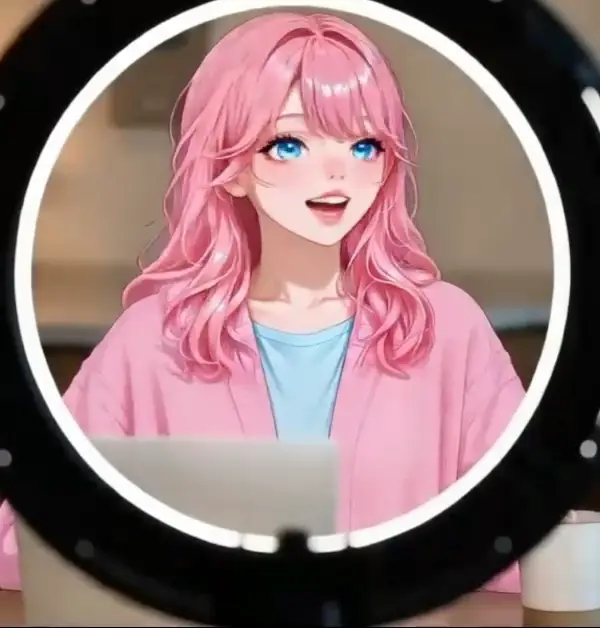
  • Face changer AI camera output with an anime girl face on a presenter, marked as an AI-generated example

    Anime girl

    A stylized face fills the frame and follows your head turns and expressions. It suits a look that is clearly not you, such as a character for a game night or a costume party.

  • Live output with a cartoon hamster face, marked as an AI-generated example

    Cartoon hamster

    An animal face works as a reference too. It is a quick way to see how the camera tracks a smile, a nod or a tilt of the head, because the exaggerated features make small movements easy to spot.
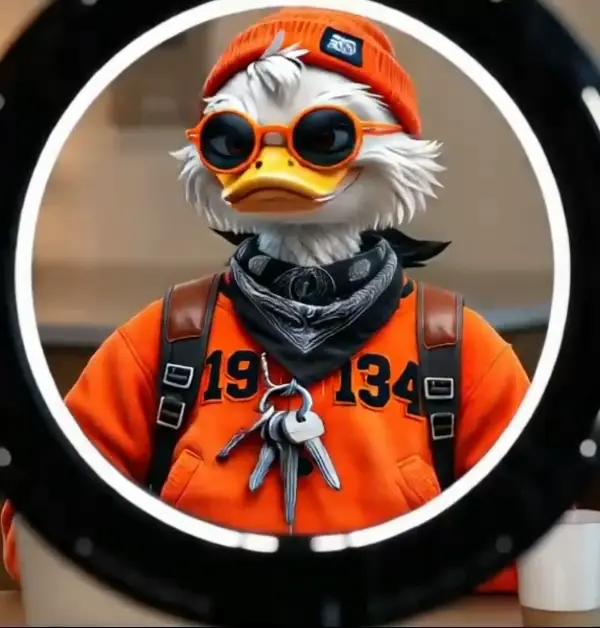
  • Live output with a cartoon duck face, marked as an AI-generated example

    Cartoon duck

    Another character, same flow: upload one picture, start, and the face moves with you about half a second behind. Nothing about the setup changes between faces, only the photo you pick.

How to use a face changer on your camera

Three steps in a browser tab, nothing to install.

  1. 1

    Open your camera

    Press Open camera and allow access in the browser. You see your own preview without signing in, and you can turn the preview off. The tool asks for video only, with no microphone and no audio.

  2. 2

    Upload the face to wear

    Add a clear, front-facing photo of one face as JPG, PNG or WebP up to 10 MB. You can upload several faces in one visit and pick the one to wear, or remove one you no longer want.

  3. 3

    Start and move

    Sign in and press Start Face Swap. The first swapped picture usually shows in 7 to 12 seconds, and the status moves from Connecting to Live. To change again, pick another uploaded face and it takes over in about 4 to 6 seconds.

Camera tips for the face changer AI camera

A few things to check before you press start.

  • Put a light in front of you, not behind, so your face is evenly lit and easy for the model to follow.
  • Sit so your head and shoulders fill most of the frame, and look toward the lens when you start.
  • Choose a reference photo that is sharp and front-facing, with one face only and nothing covering it.
  • Keep the tab in front, because browsers slow video in background tabs.
  • Use a steady connection; the video travels to the swap model and back.
  • Compare the live output with your reference face, since it is AI output and can differ from the photo.
  • Use only your own face or one you have permission to use, and tell viewers it is AI.

Frequently asked questions

Your browser sends your camera video to a face-swap model, which puts the reference face on your moving head and sends the result back. It plays in the Live AI output tile beside your camera, about half a second behind you. It follows head turns and expressions as you move.

No. It runs in a browser tab: allow the camera, upload a face and start. There is no app to download, no extension and no virtual camera. To get the output into other software, capture the browser window.

Light your face from the front, fill the frame with your head and shoulders, and use a sharp, front-facing reference photo. Then check the live output against the reference, because it is AI and can differ from the photo.

We have tested it in desktop browsers with a laptop or USB webcam only, so use a computer for now. Keep the tab in front while it runs, because a background tab drops frames.

No. The face changer AI camera works only on your live camera feed. The uploaded photo supplies the reference face; it is not a photo or recorded-video editor.

Yes. Pick another uploaded face during the session. The old face stays for a few seconds and the new one shows in about 4 to 6 seconds. One reference face is worn at a time, so two faces at once is not possible.

There is no built-in face library. Upload your own reference photo, or several photos and pick one. The anime girl, cartoon hamster and cartoon duck shown before a session are recorded examples.

No. The tool has no recording or download button, and we never record your camera video. You can record your own screen with other software.

The camera preview needs no sign-in. The swap needs an account and credits, charged one per second while it runs, and one session lasts up to 30 minutes. If no picture shows within 20 seconds, nothing is charged.

Only with their permission. Use your own face or one you have permission to use, never to impersonate or deceive anyone, and tell viewers the face is AI.

One session runs for up to 30 minutes, then you start again. It stops sooner if your credits run out, and closing the tab ends it. There is one live session per account at a time.